
Company: Palo Alto Networks
Role-Based Access Control Redesign
Role-Based Access Control (RBAC) is a foundational security feature that determines who can access what across a platform. While not flashy, it’s critical for enterprise security, compliance, and operational efficiency.
At the time, the RBAC experience in Strata Cloud Manager created significant friction for administrators. Permissions were difficult to understand, navigation didn’t align with role options, and validating access required time-consuming workarounds.
I led the discovery, research, and design to reimagine RBAC into a more intuitive experience that aligns permissions directly with the product interface and gives administrators confidence in the roles that they create and assign.
2025
Defininition
The Problem
Administrators struggled to confidently configure access because the RBAC system didn’t reflect how the product actually worked.
“I feel like when you’re setting RBAC, it should exactly mirror what menus you have the ability to access. And I’m harping on this because that’s not how it is today.”
Key challenges:
Disconnect between permissions and navigation: Permissions were defined by backend services rather than the product navigation, making it difficult to understand what a role actually granted.
Lack of granular control: Admins often had to grant overly broad superuser access, violating the principle of least privilege and introducing unnecessary security risk.
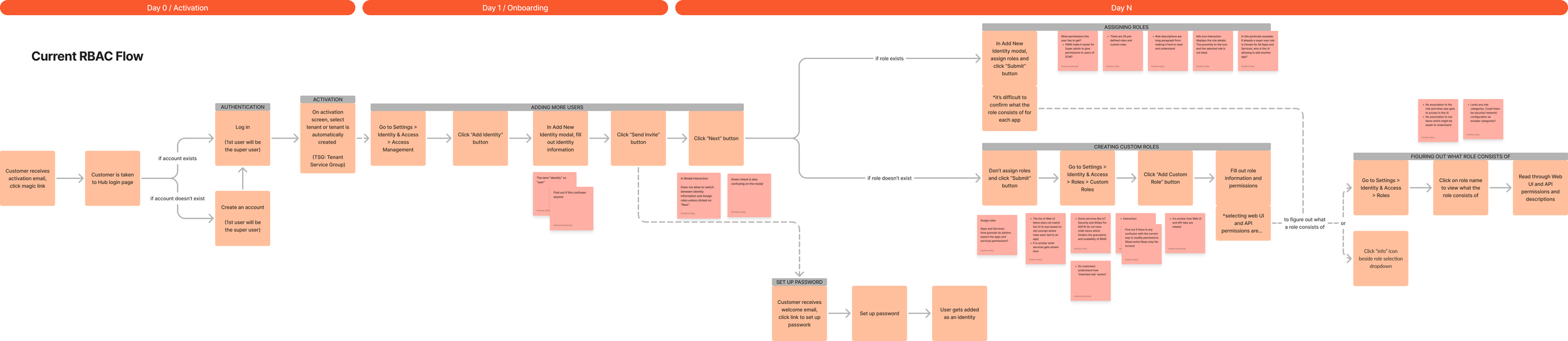
Trial-and-error validation: Because there was no way to preview role permissions, admins relied on workarounds such as creating dummy users and logging in and out to verify access.

Research
Discovery
Although RBAC was widely recognized as a critical issue, the project began without a formal requirements document or defined direction. To understand the scope of the problem, I initiated discovery independently and evaluated the existing RBAC system from both a platform and user perspective. I analyzed:
The existing role architecture
Platform telemetry and usage data
Previous UX research
The relationship between roles, applications, and services
Key observations:
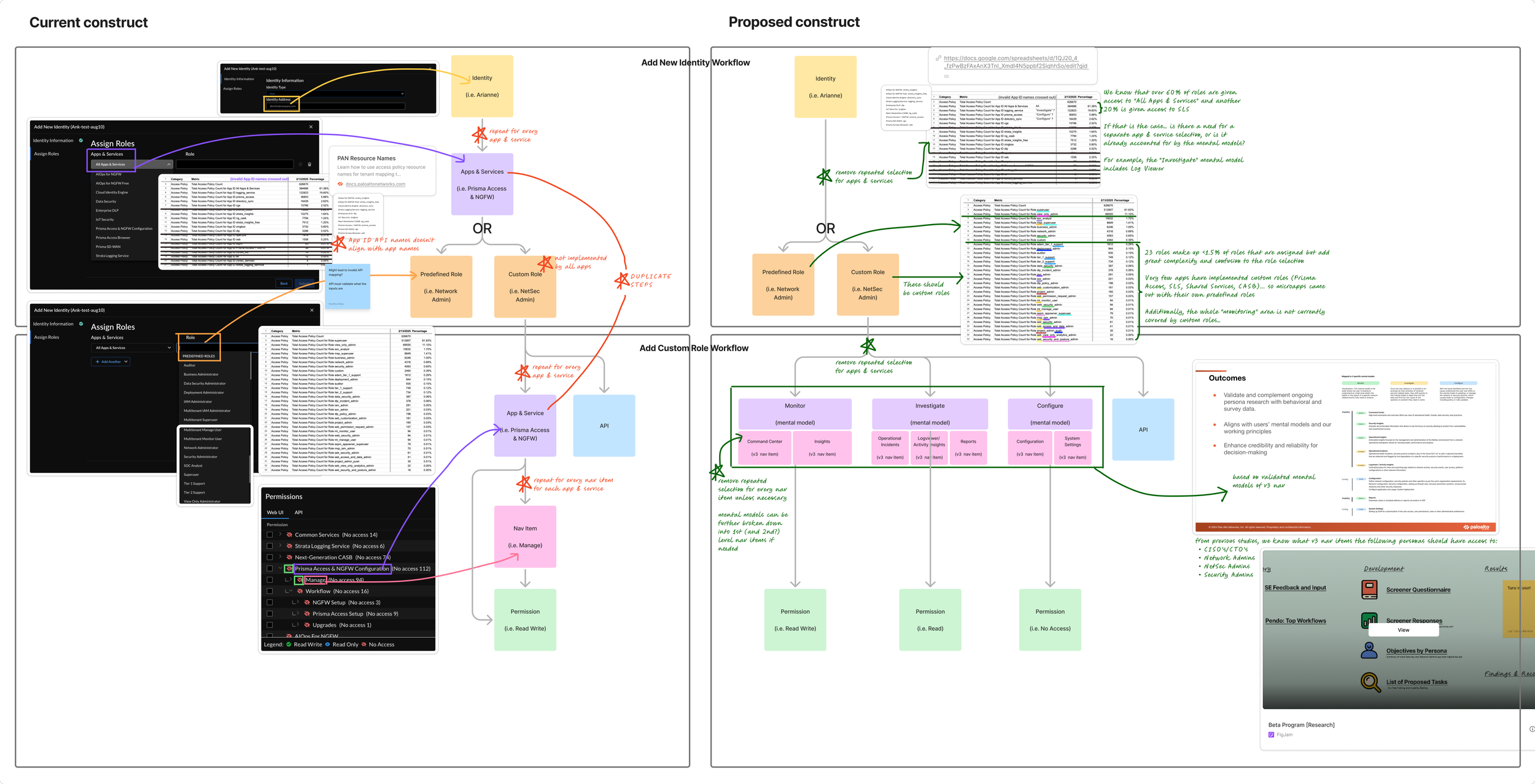
Most roles are assigned for broad access: Data showed that over 60% of roles were granted access to ‘All Apps & Services,’ and another 20% were granted access to Strata Logging Services This raised a key question: Was the ‘App and Service’ selection step actually providing value, or simply adding complexity?
Rarely-used roles cluttered the experience: 23 predefined roles accounted for less than 1.5% of assigned roles, yet significantly increased complexity during role selection.
Inconsistent role models across apps: Custom roles were only implemented in a few applications like Prisma Access, Strata Logging Service, Shared Services, and CASB. Many teams created their own predefined roles, resulting in a fragmented access model.
Gaps in RBAC coverage: Some pages of Strata Cloud Manager, such as the Command Center, were not governed by RBAC permissions at all, preventing admins from assigning access to these parts of the platform.
API naming didn’t align with the UI: For admins managing RBAC through APIs, App ID API names didn’t match the application names used in the UI, creating additional friction for automation workflows.
Redundant configuration steps: The role configuration flow included duplicate steps, forcing administrators to repeatedly define the same parameters.
Process
Lo-Fi Design Explorations
To explore potential solutions quickly, I created a series of low-fidelity concepts and facilitated an ideation workshop with the broader UX team. During the session, the team reviewed different interaction models and evaluated which approaches best addressed user needs and platform constraints.

Predefined Roles Page
The predefined roles page needed to help administrators quickly understand each role and select the most appropriate one.
Goals:
Align roles with three research-validated mental models: Monitor, Investigate, Configure
Streamline and consolidate the existing 31 predefined roles
Enable quick comparison between roles
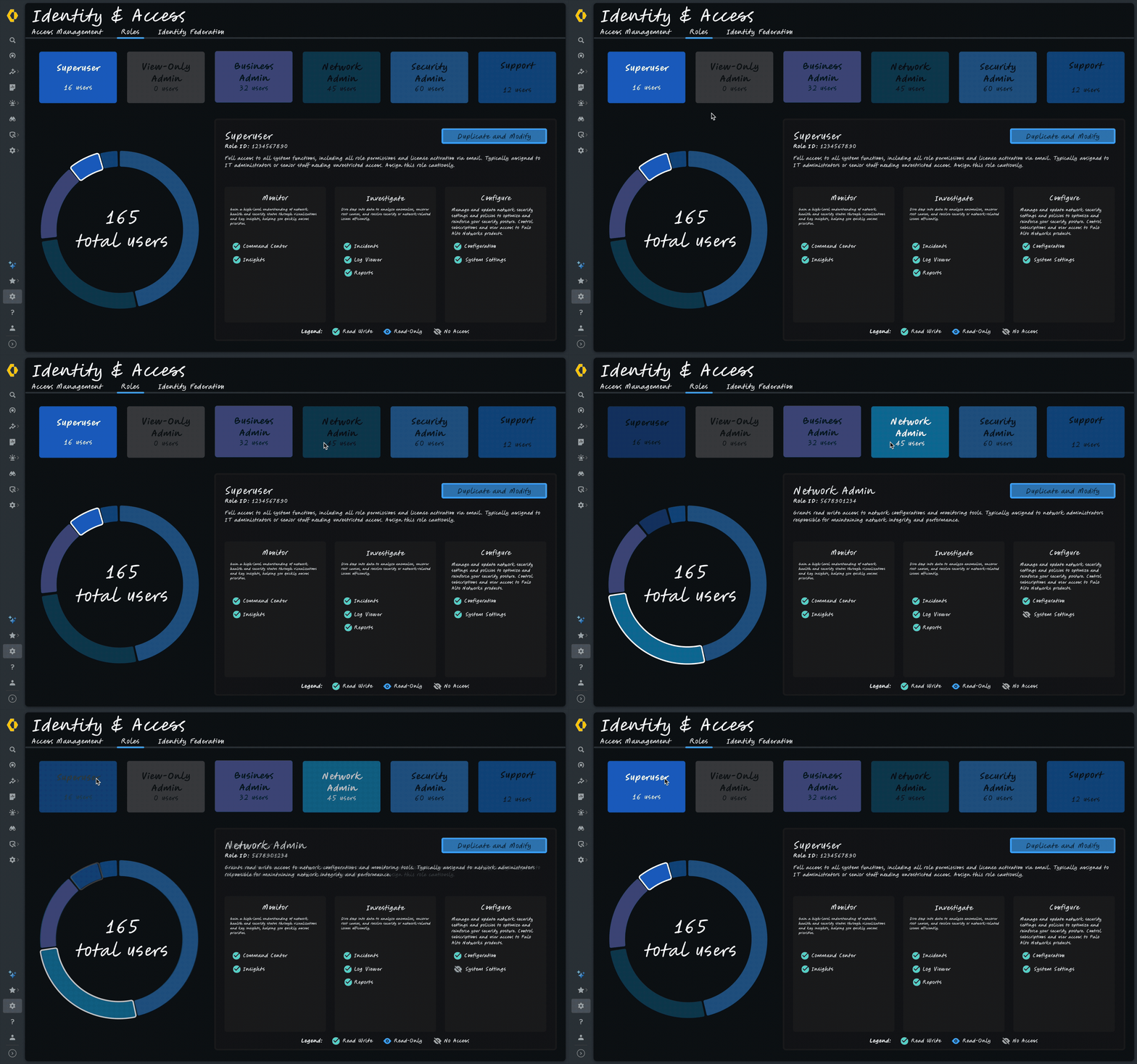
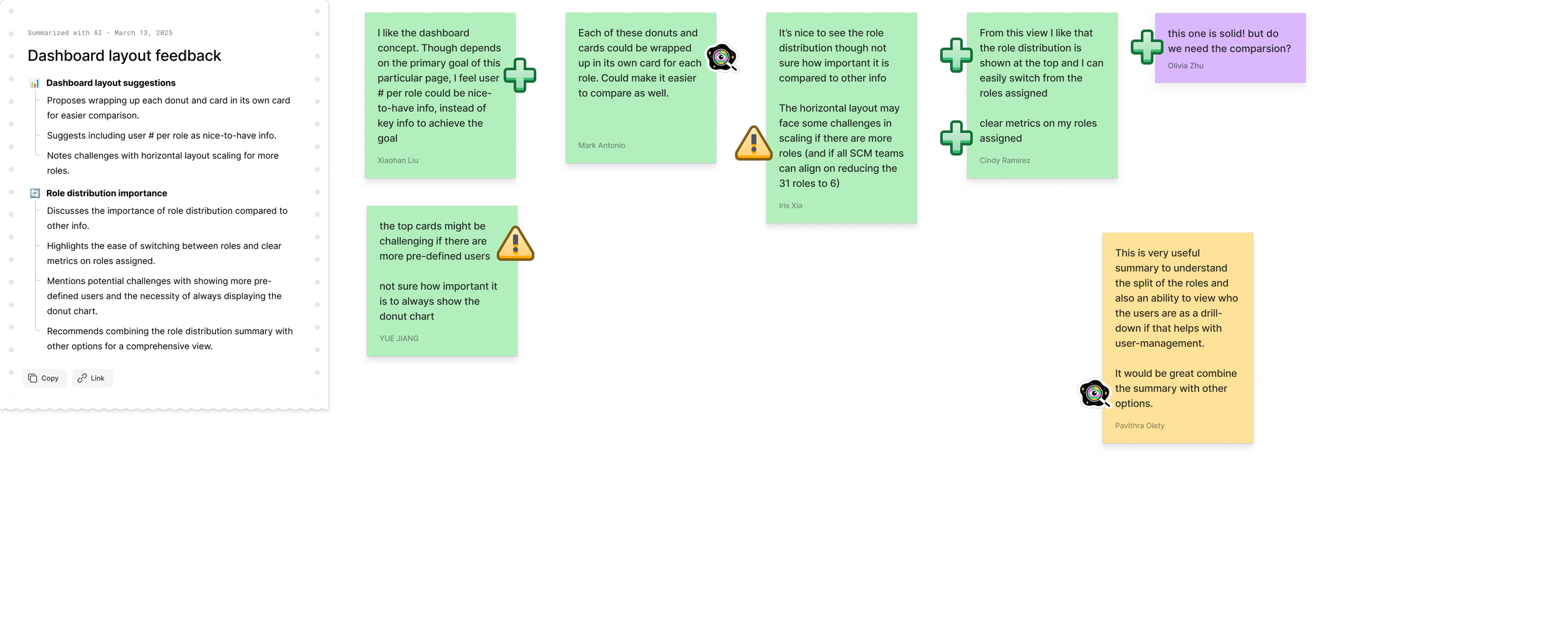
🍩 The Donut
A radial layout grouping roles by the three core mental models to visually communicate role categories.
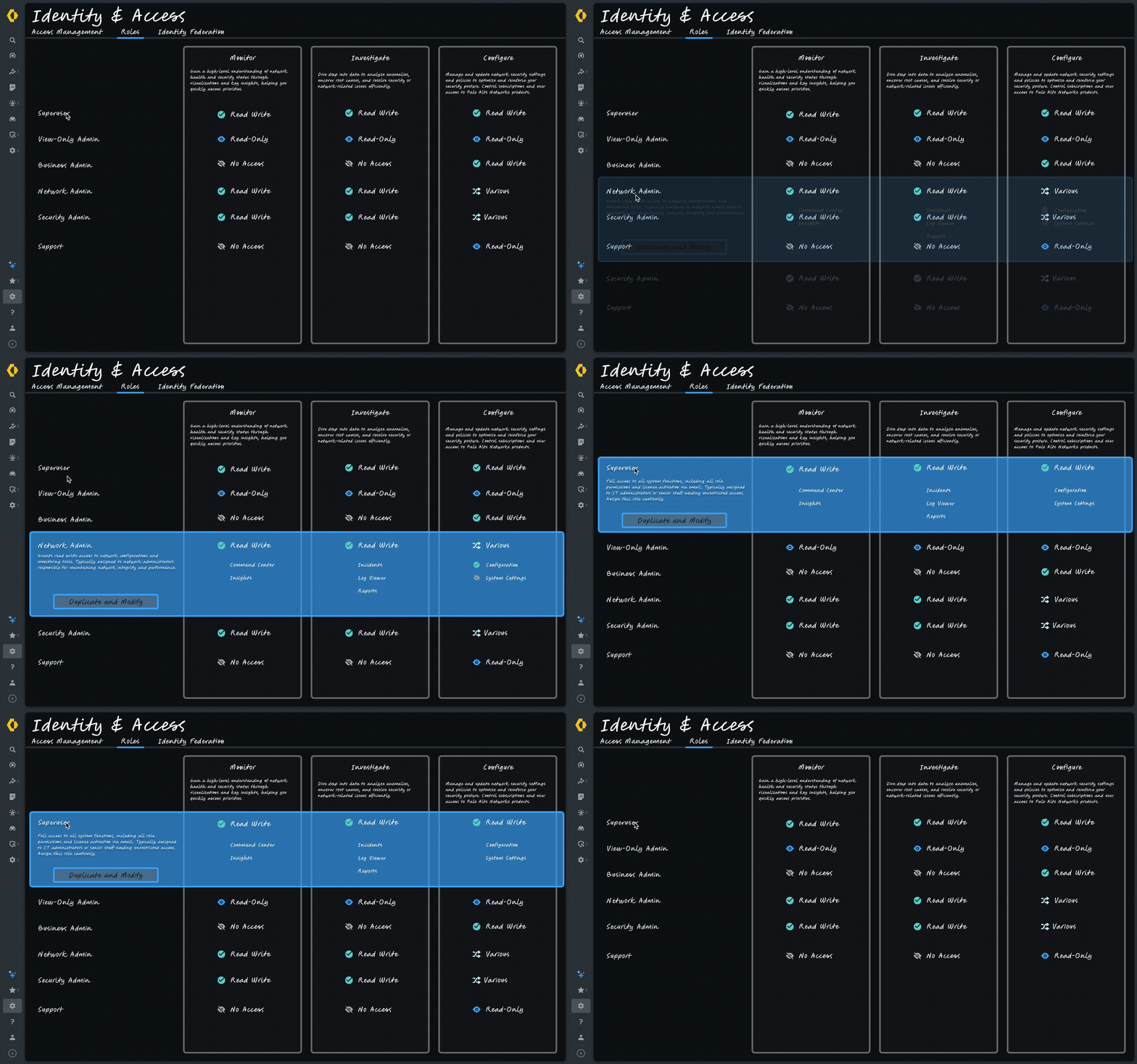
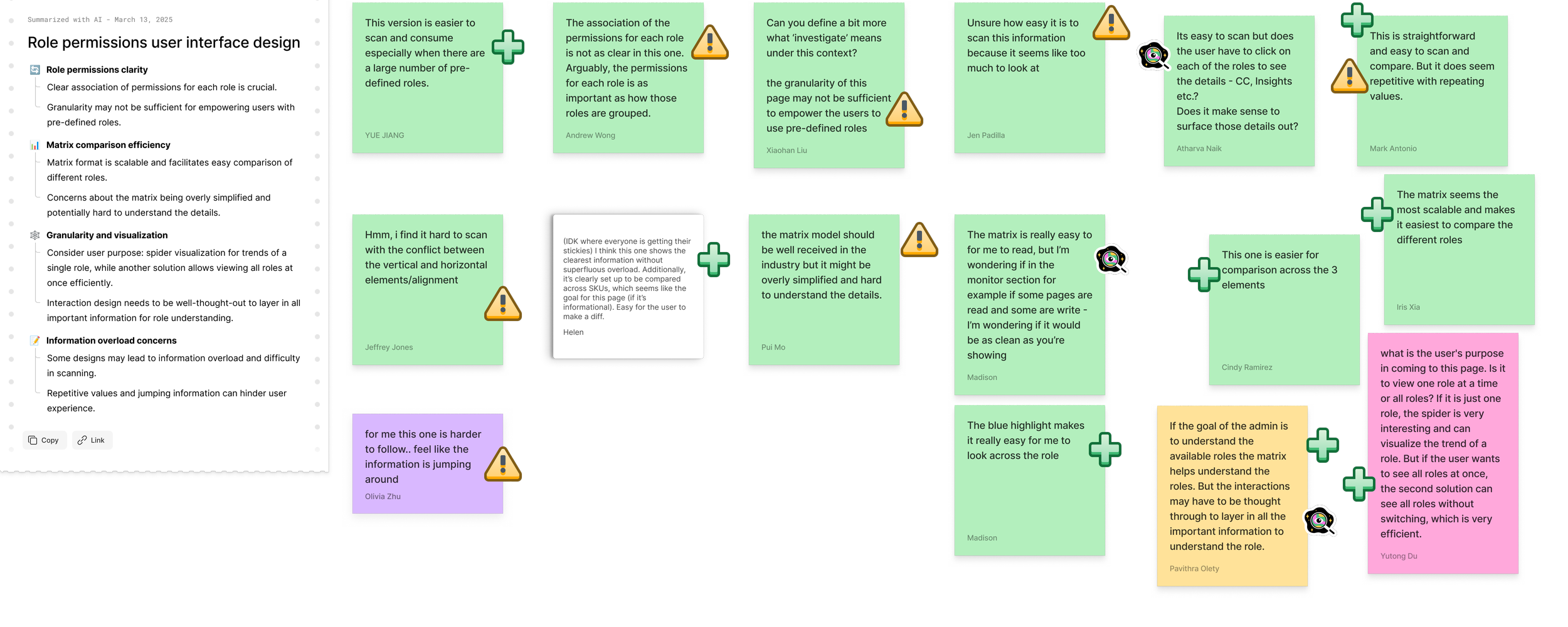
🔣 The Matrix
A comparison table allowing administrators to quickly scan and compare permissions across roles.
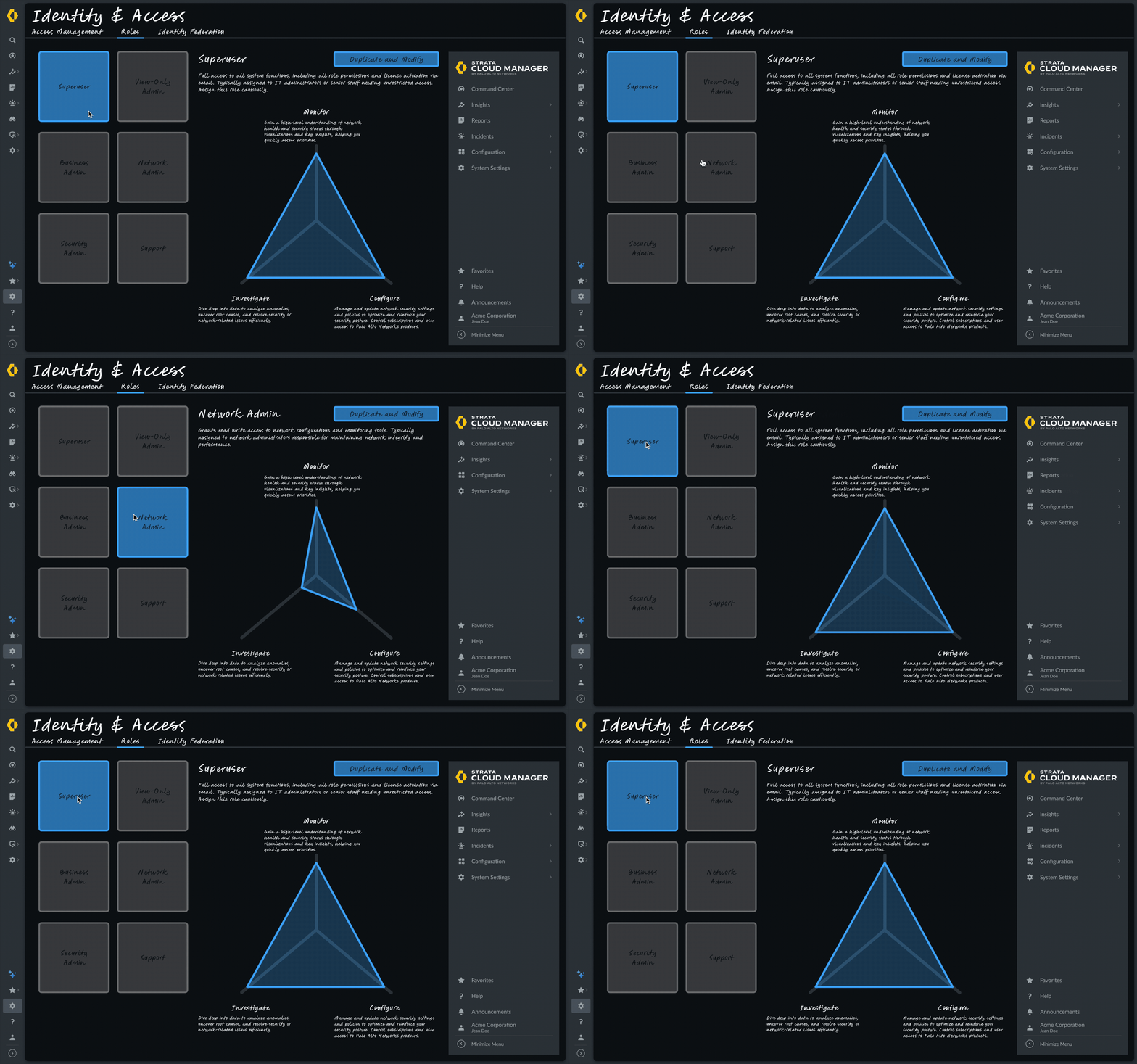
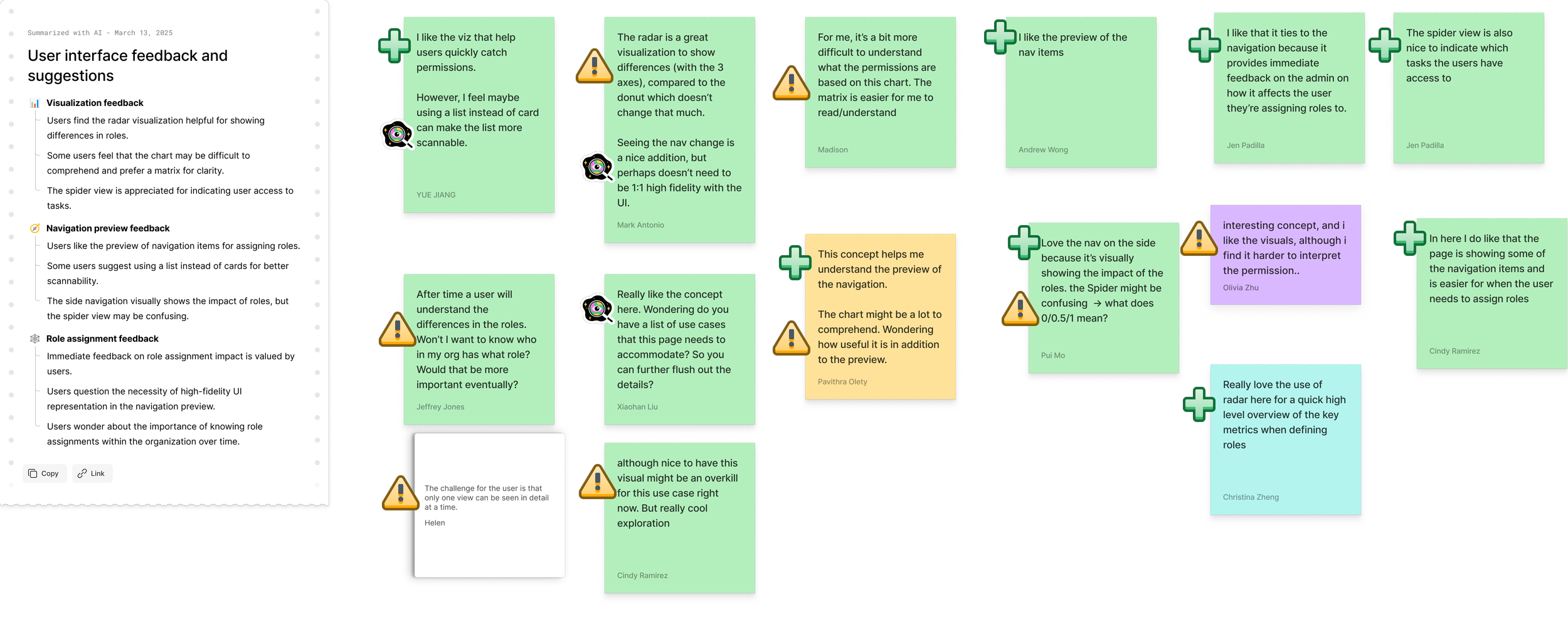
🕷 The Spider
A visual network showing relationships between roles, permissions, and capabilities.
Create Custom Role Page
Creating custom roles needed to balance simplicity with flexibility, enabling administrators to quickly create roles while maintaining granular control.
Goals:
Enable quick creation of custom roles
Support granular page-level permissions
Provide clear understanding of configurations throughout the creation process
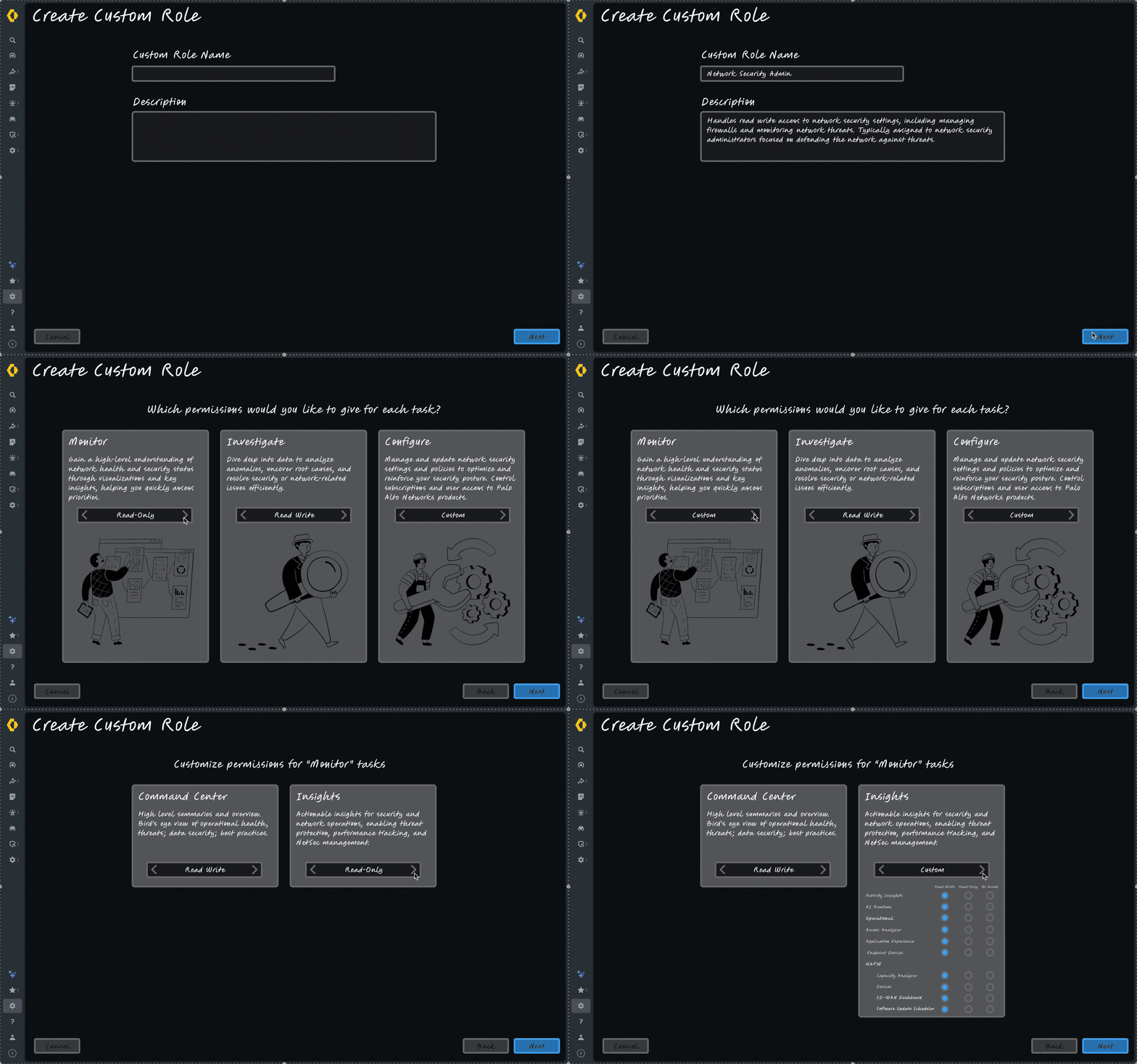
🧙 The Wizard
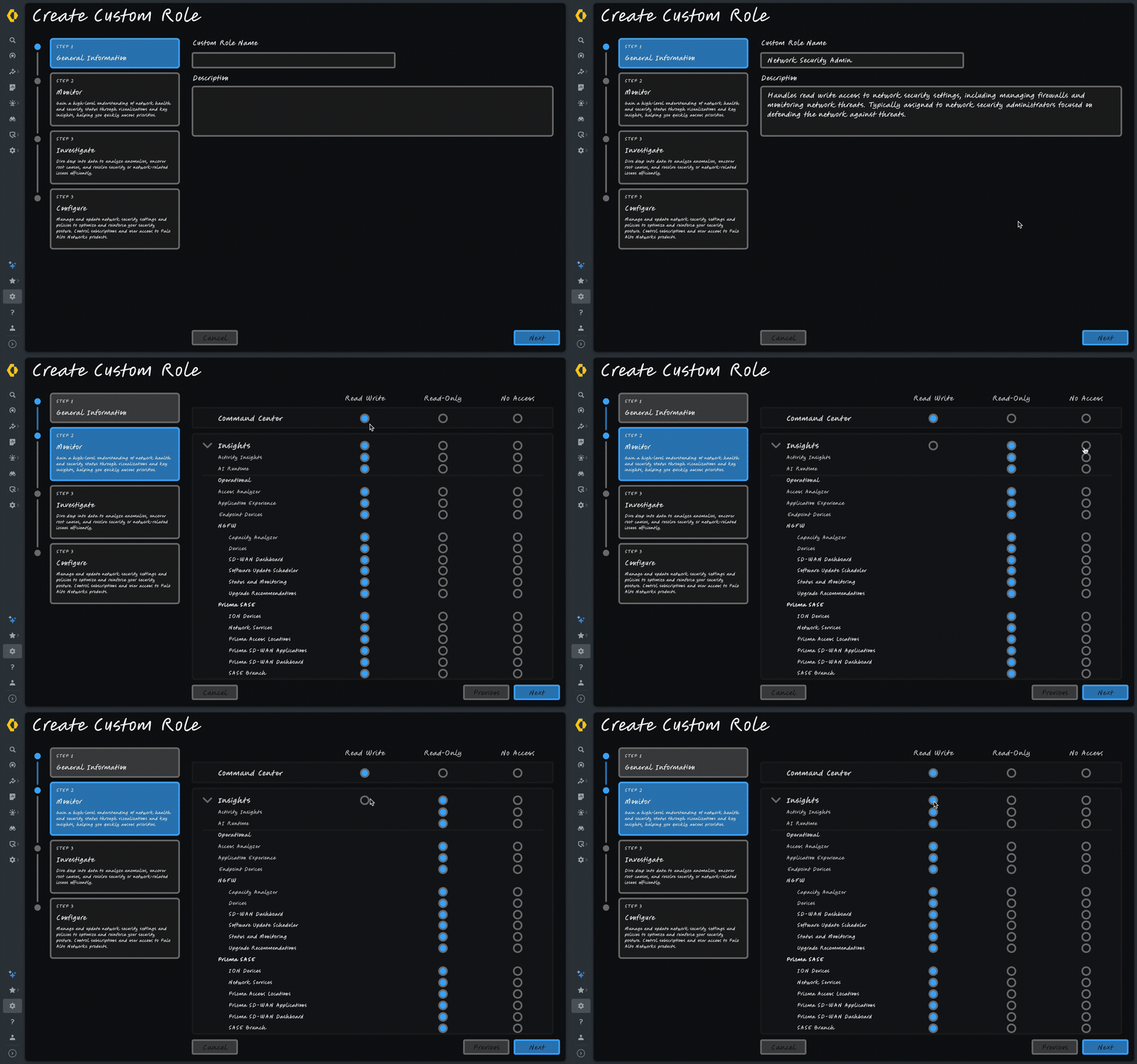
A guided, step-by-step workflow designed to help administrators configure roles sequentially.
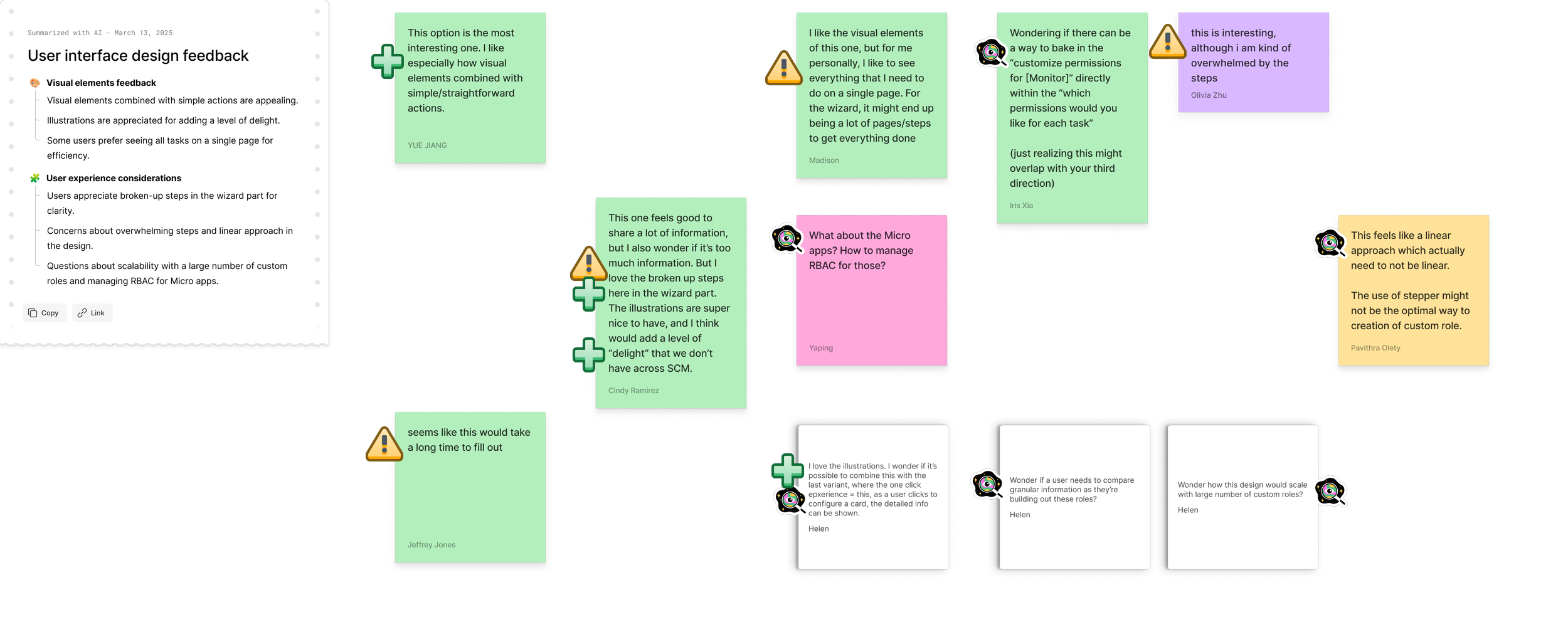
🪜 The Stepper
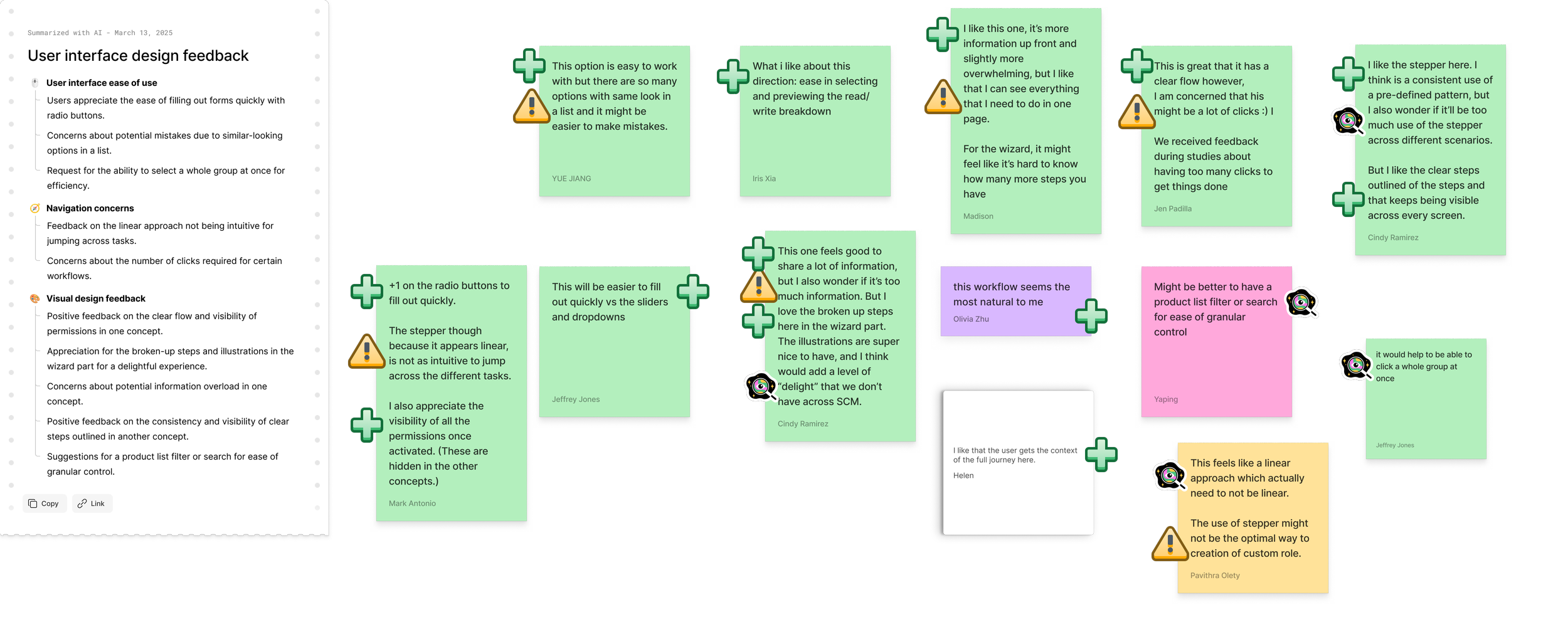
A structured flow with visible steps, allowing users to move between sections while maintaining context.
🃏 The Cards
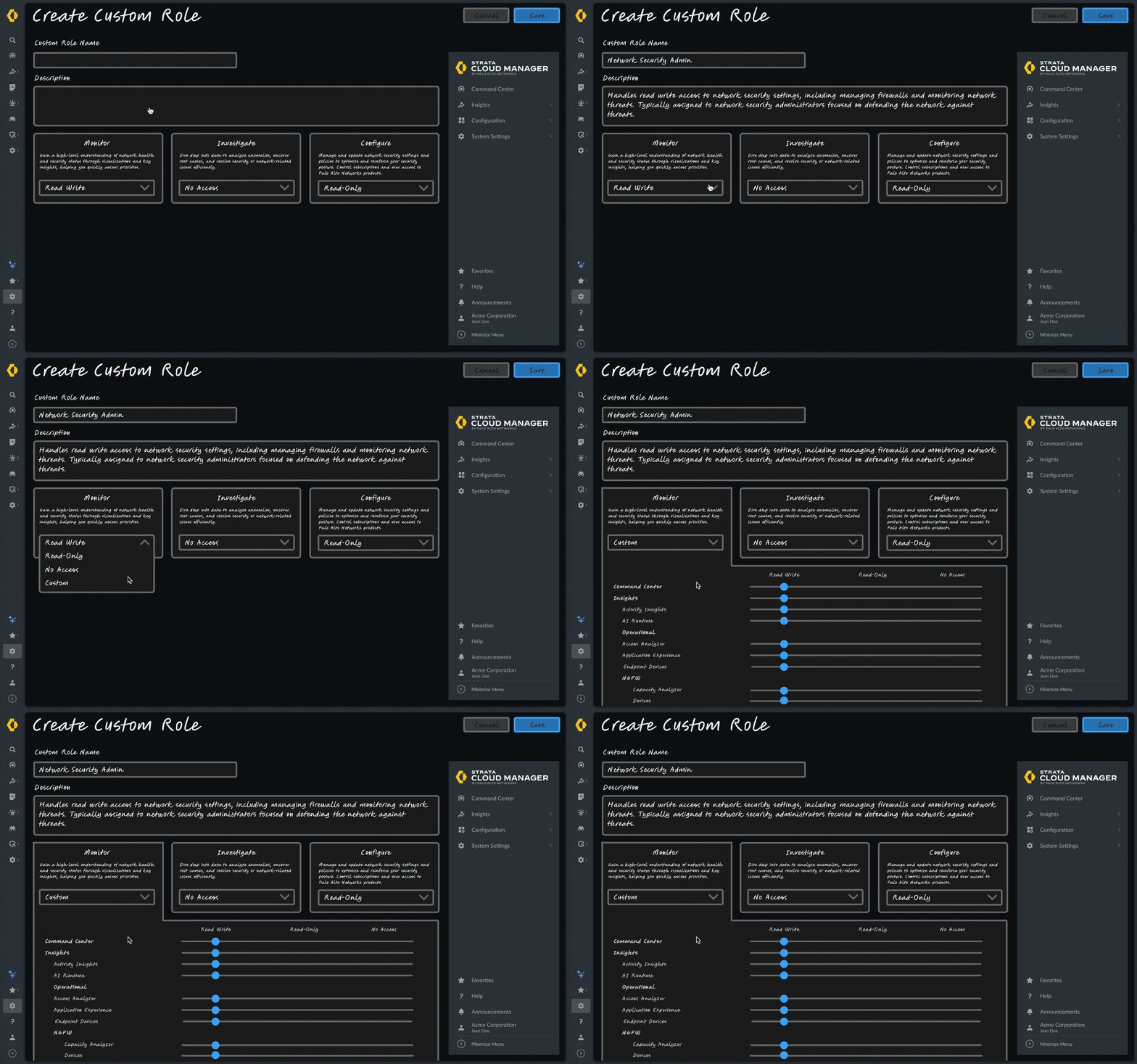
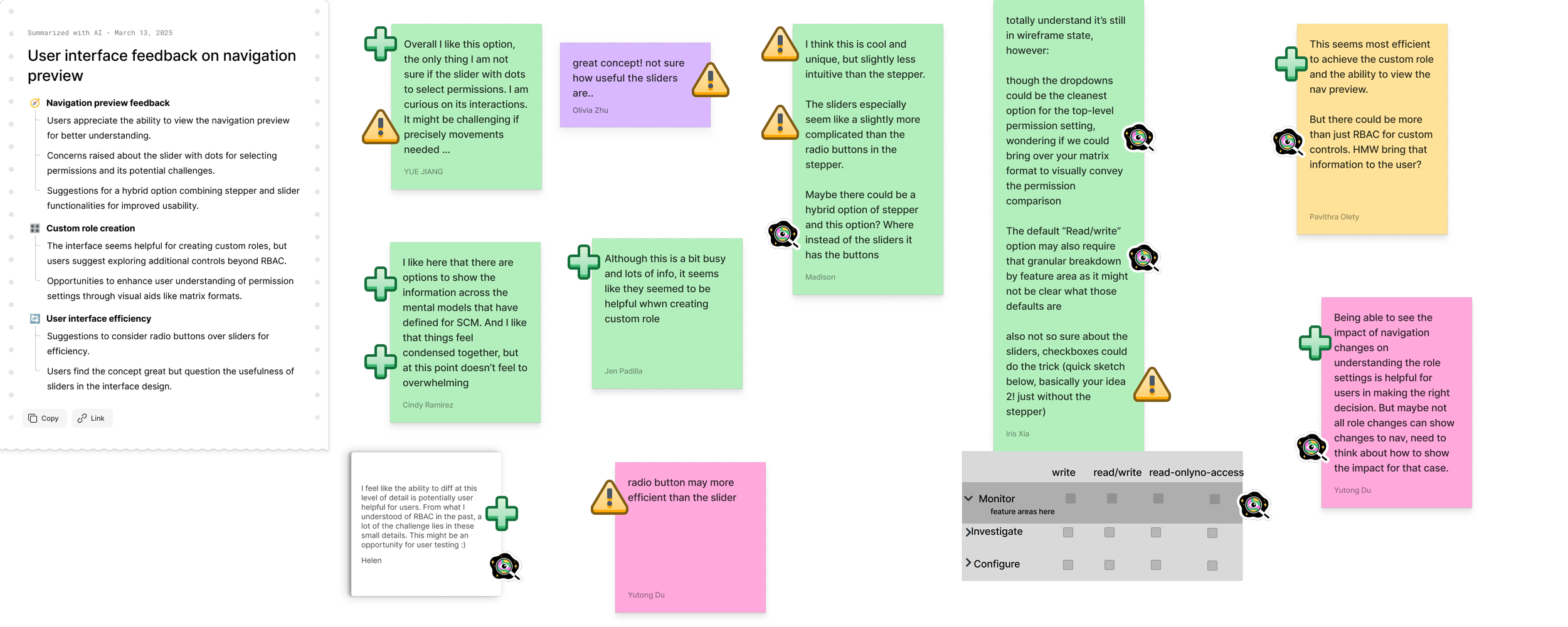
A modular interface where permissions and settings are grouped into cards that can be configured independently.
Solution
Role-Based Access Control Redesign
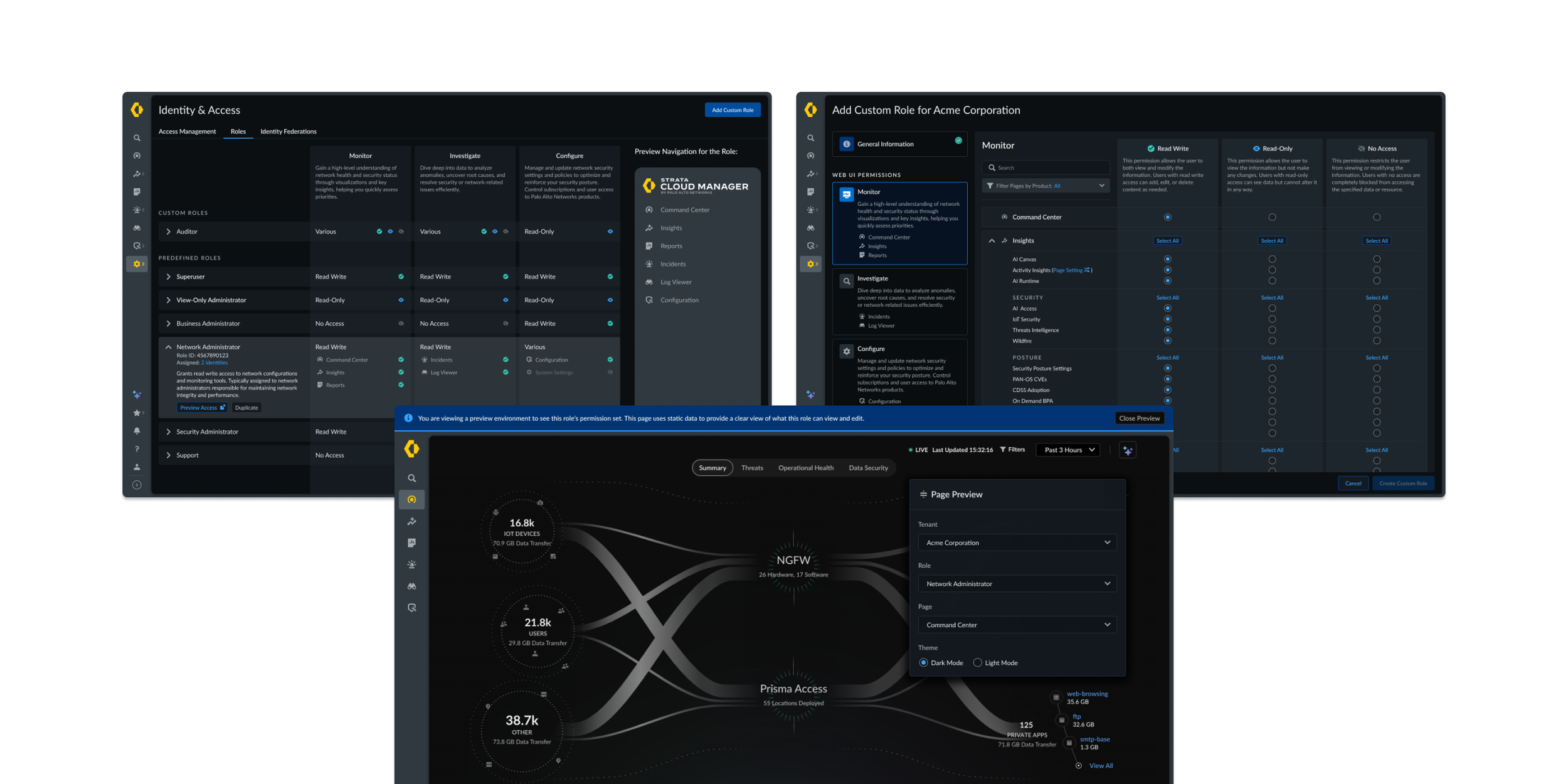
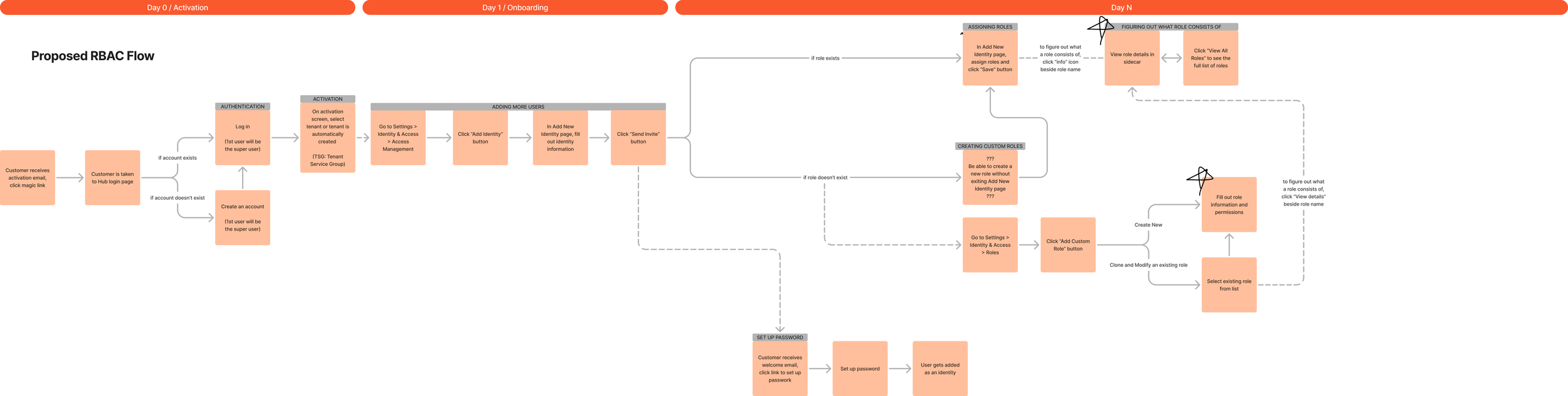
The redesigned experience introduced a more intuitive and scalable permission model for admins. It aligned permissions with the platform navigation and enabled granular access control.
To validate the design, I led usability testing with enterprise administrators from organizations including Softbank, Boeing, Nvidia, Australia Government, Patterson Companies, and Sealed Air, ensuring the experience worked across different security environments and organizational structures.
Testing confirmed that the new RBAC model addressed several major pain points in the existing system, particularly around permission clarity, role configuration, and validation workflows. View the full research findings.
“I wish I could use this new RBAC now.”


Role Preview
‘Navigation Preview’ panel mirrors the product navigation for a role as a role is being viewed. Admins can also launch a ‘Preview Access’ to experience the product exactly as that role would.
This allows admins to instantly see what pages and capabilities a role can access, eliminating the for workarounds to validate permissions.
Granular Controls
Administrators can configure read, write, or no access at multiple levels, including:
Navigation pages
Tabs within pages
Components and widgets within a page
This enables organizations to implement least-privilege access while maintaining flexibility across teams and different organizational structures.
Navigation-Based Permissions
When creating a custom role, permissions map directly to the product’s navigation structure, allowing admins to configure access using the same mental model users rely on to navigate the product.
This resolves a major usability issue identified in research around the disconnect between RBAC permissions and the actual UI.
Clearer Role Creation Workflow
Role configuration is faster and easier to understand.
Usability testing confirmed the updated workflow was intuitive and significantly reduced configuration complexity.