Company: MyLens Inc.
LENS App
People often hesitate to share their personal phone numbers when interacting with unfamiliar services or individuals, creating privacy and safety concerns.
The LENS App allows users to create phone number aliases so they can send texts and make calls without revealing their real number. The app launched on the App Store as a subscription-based product, with a broader vision of enabling users to manage and share access to personal data such as financial and medical information.
2019
Workflow
Implementing incoming and outgoing communication through the app is a complicated task with many moving parts. I iterated several times on this workflow in order to flush out important details and ensure that all of the questions are answered before development started. I received feedback from the backend developers that understanding the big picture and how everything ties together was valuable in the development process.


LENS Mobile App

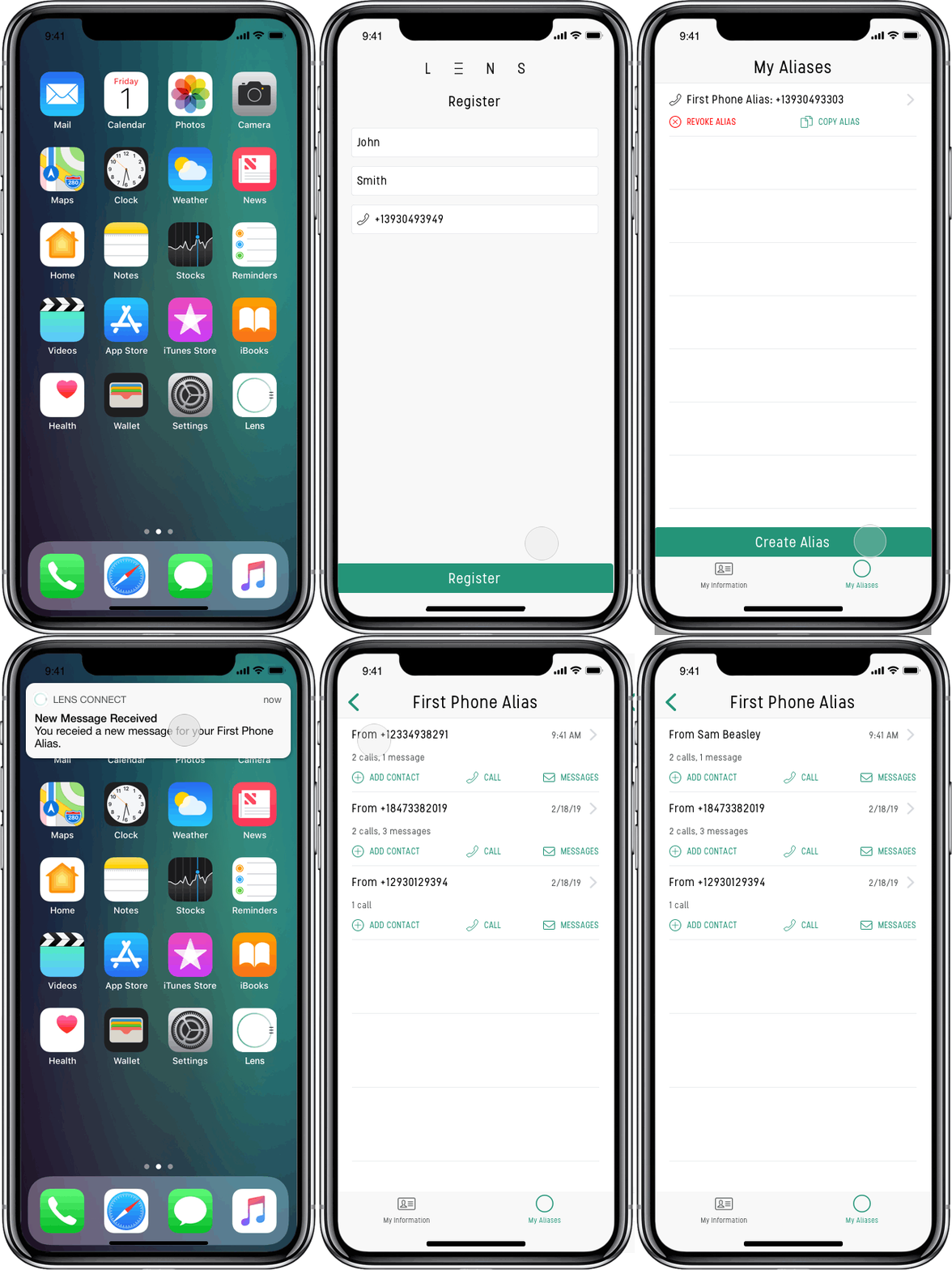
Register and Verify
When a user opens the LENS app for the first time, they’re prompted to register and verify their phone number. This creates a unique virtual Lumen that securely stores the user’s information.
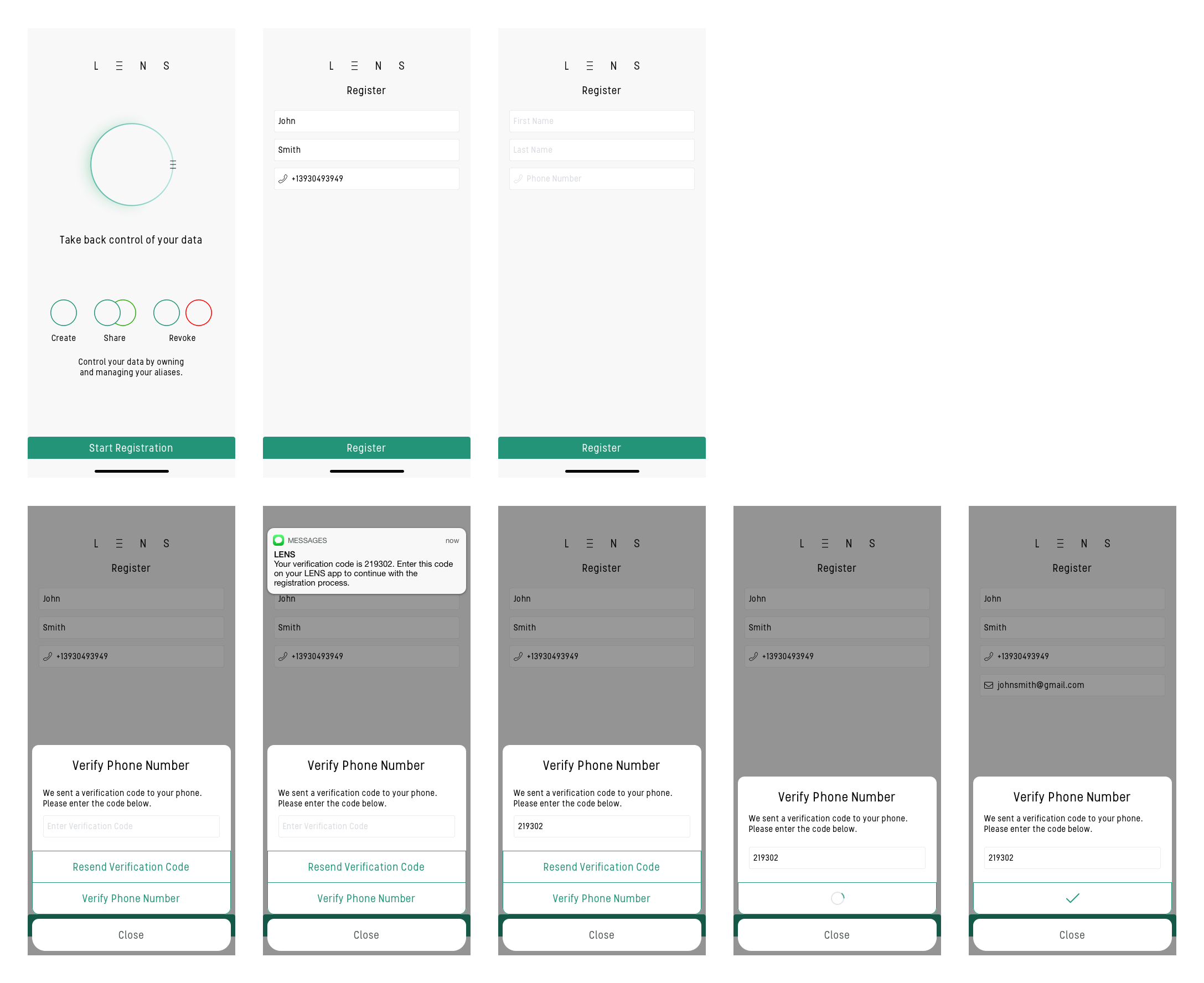
Create an Alias
When a user verifies their phone number, the LENS app automatically adds it under the My Information screen and creates a phone alias. This alias is ready for users to copy, paste, and share with others.
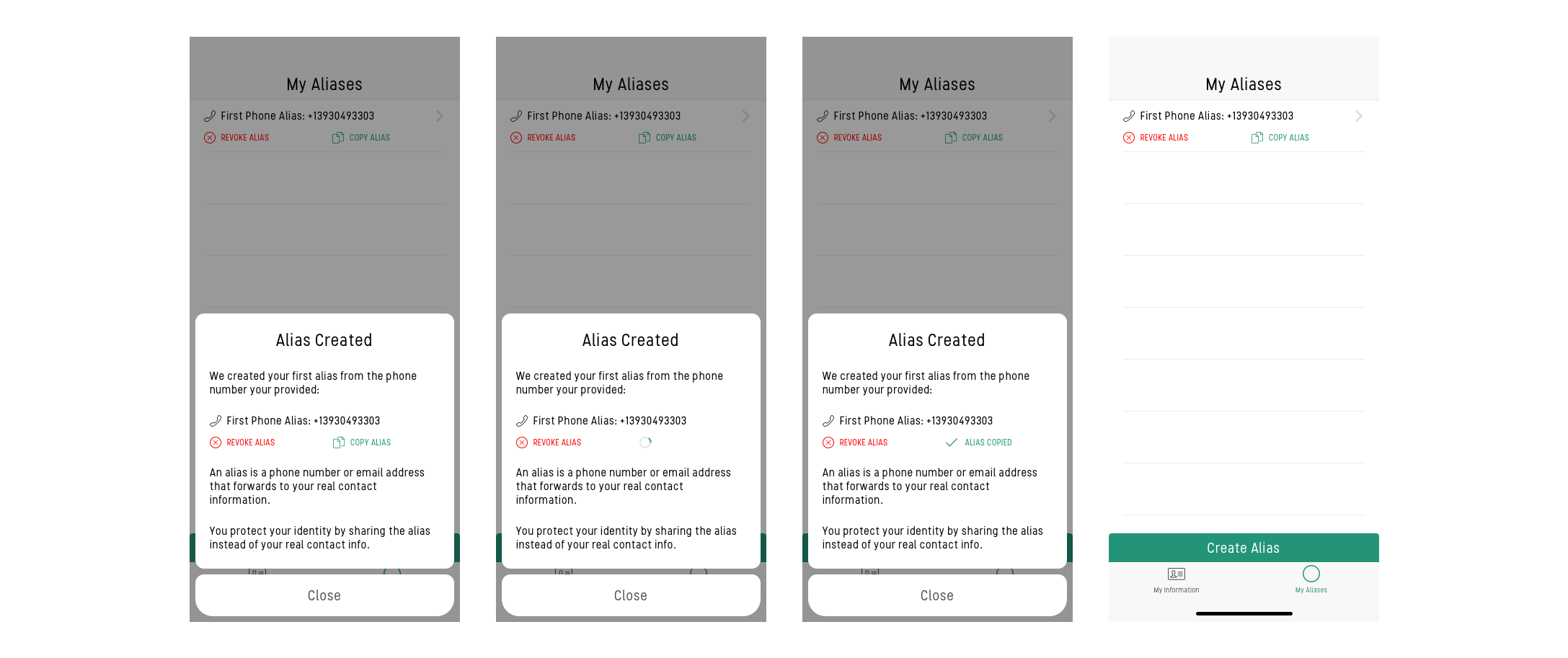
Communicate
The user can communicate back-and-forth through text messages and phone calls without giving out their real phone number. They can make outgoing calls, view text messages, and respond to text messages through the LENS app. Incoming calls will be redirected to their phone as normal.
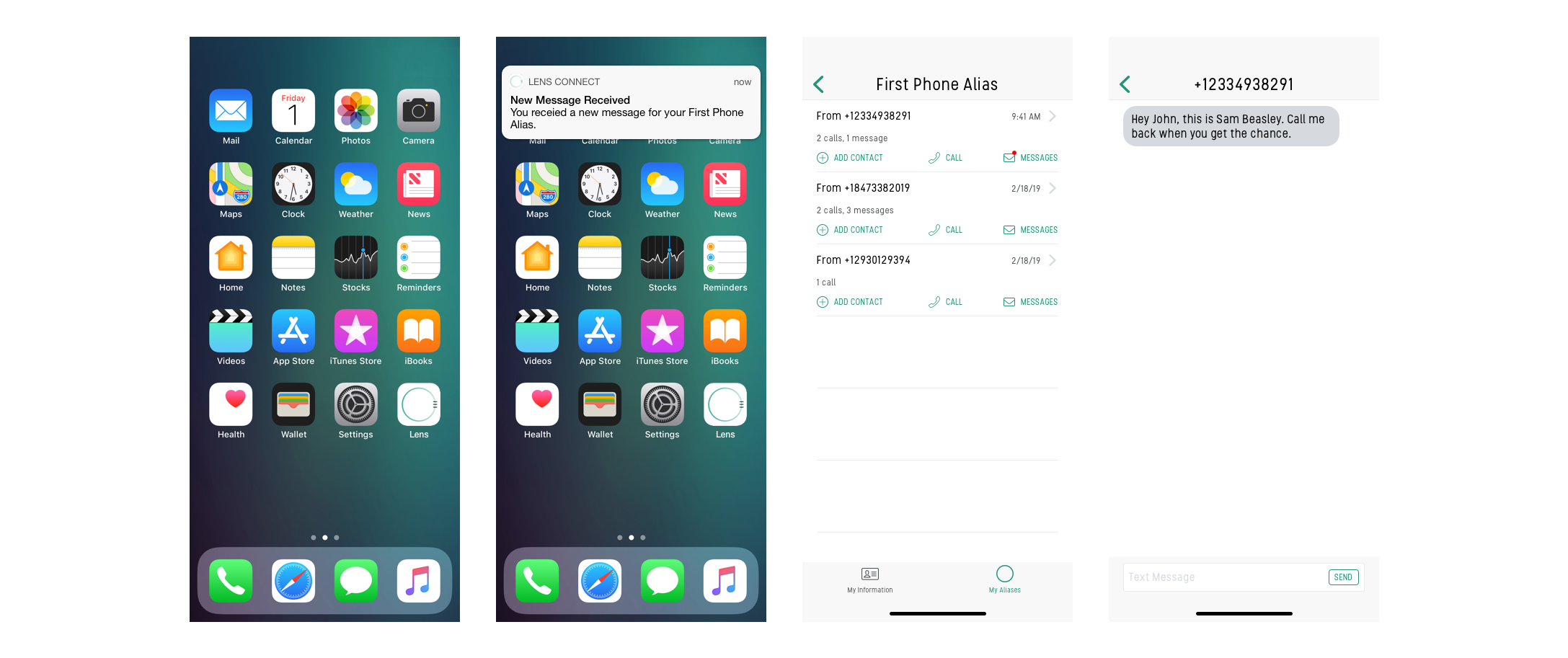
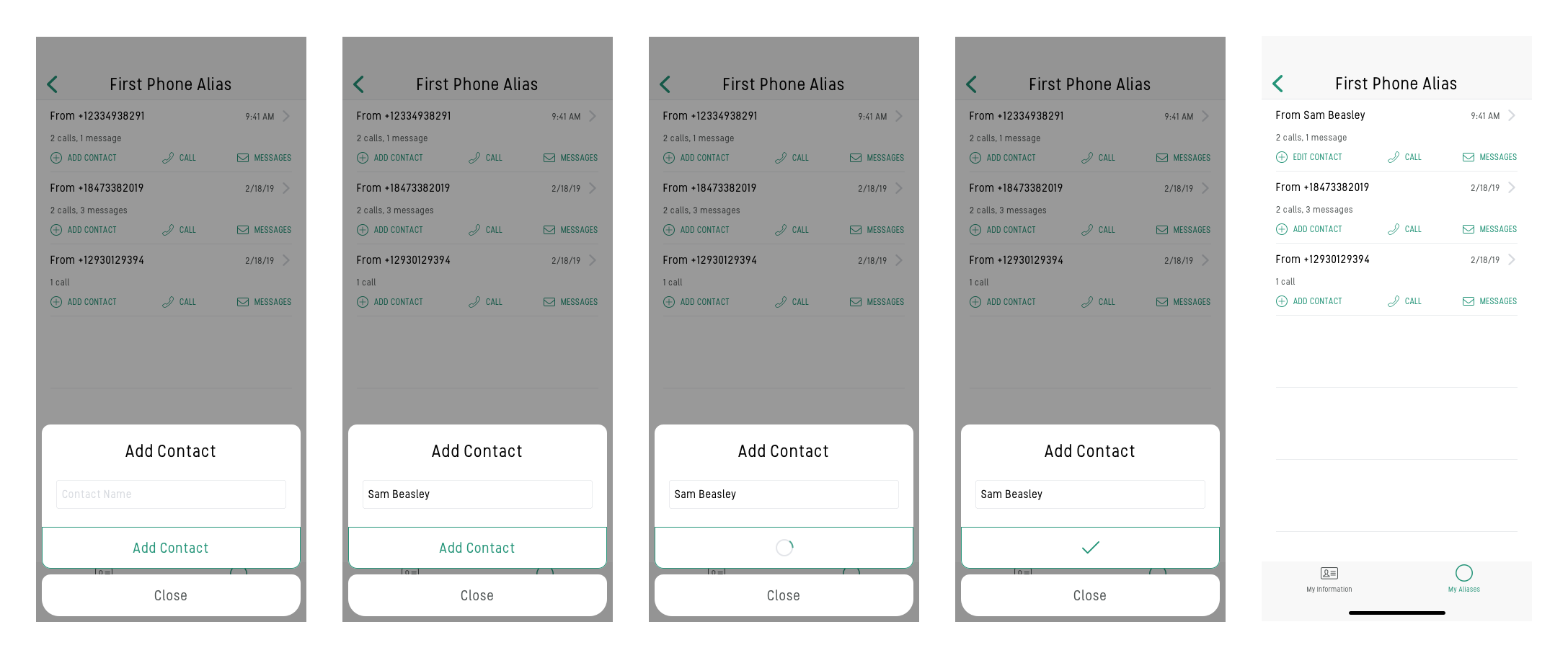
Add Contact
LENS app users can add contacts and label phone numbers. This makes it easier to sort through their alias activity history. Changes within the LENS app will sync with the user’s iPhone contact list. When a call is received, the contact name is displayed on the screen so the user knows who’s calling.